
Screenshots
App details
- Version
- 1.49
- Size
- 1.89 MB
- Updated
- July 20, 2021
- Requires
- Windows 7
- Language
- English
- License
- Free
- Developer
- user_hidden
- Category
- Windows OS
SoftPas in:
This product is also available in the following languages:
About Microsoft PID Checker
Download Microsoft PID Checker – Free, Portable Product‑Key Validation Tool
Overview
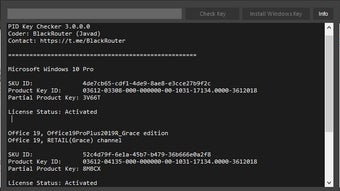
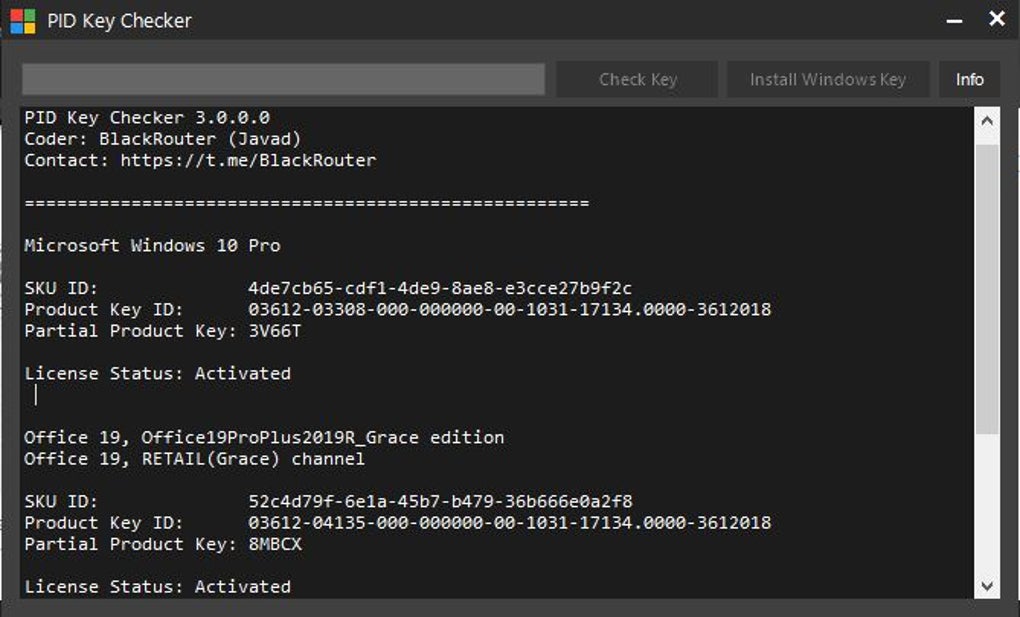
Microsoft PID Checker is a lightweight, completely free utility designed to validate Microsoft product keys for Windows, Office, Visual Studio, and many other Microsoft packages. The program works without any installation, making it perfect for technicians, IT administrators, and power users who need a quick way to confirm whether a key is genuine or corrupted. By leveraging the built‑in PkeyConfig files—or by loading a custom configuration file—you can instantly check the status of a key on any machine that has the .NET Framework installed. The tool’s portable nature means you can keep it on a USB flash drive and run it on any Windows PC, eliminating the need for bulky installers or administrative rights. Its intuitive interface, dedicated input field, and extensive output console reduce the chance of human error while providing clear, actionable feedback on each key you test.
Key Features, Pros & Cons
- Portable design – run directly from a USB stick without installation.
- Supports a wide range of Microsoft products: Windows, Office, Visual Studio, Server editions, and more.
- Two validation methods: built‑in
PkeyConfigfiles or custom configuration files for non‑standard keys. - Dedicated product‑key input field that accepts only allowed characters, minimizing typing mistakes.
- Large console window that logs every validation step, useful for troubleshooting and audit trails.
- Requires only the Microsoft .NET Framework (any recent version) – no extra libraries.
- Completely free to download and use for personal or commercial purposes.
Pros
- Portability: No installation needed, perfect for on‑the‑go technicians.
- Ease of use: Simple UI with drop‑down product selection and clear error messages.
- Wide compatibility: Works with most Microsoft products released in the last two decades.
- Free and open: No hidden fees, no trial period, and no registration required.
- Low system impact: Minimal CPU and RAM usage, ideal for older machines.
Cons
- Only runs on Windows platforms that have the .NET Framework installed.
- No graphical license‑status icons – results are shown as text in the console.
- Lacks automatic update mechanism; users must manually download newer releases.
- Does not support bulk key validation; each key must be entered individually.
- Limited documentation – advanced users may need to consult community forums for custom
PkeyConfigcreation.
Installation, Usage & Compatibility
Because Microsoft PID Checker is a portable executable, the installation process consists of a single download step. Follow these instructions to get the tool up and running in under two minutes:
- Download the ZIP package: Visit the official download page and click the “Download Free” button. The file size is under 2 MB, making it quick even on slower connections.
- Extract the contents: Use any built‑in Windows extraction tool or a third‑party utility like 7‑Zip. Extract the folder to a location of your choice—preferably a USB drive if you need mobility.
- Verify .NET Framework: The program requires the Microsoft .NET Framework (version 4.6 or later). Most modern Windows installations already include it. If not, a prompt will appear with a direct link to Microsoft’s official installer.
- Launch the executable: Double‑click
MicrosoftPIDChecker.exe. No admin rights are needed, and the application opens instantly. - Enter your product key: Type the key into the custom input field. Only alphanumeric characters and hyphens are accepted, which prevents accidental spaces or invalid symbols.
- Select the product type: Use the drop‑down menu to choose the appropriate Microsoft product (e.g., Windows 10, Office 2019, Visual Studio 2022).
- Validate: Click the “Check” button. The console below will display a step‑by‑step log, ending with a clear status—either “Valid”, “Invalid”, or “Error – key not recognized”.
- Optional custom config: If your key belongs to a product not listed, click “Load Config” and browse for a custom
PkeyConfigfile. This feature is valuable for niche Microsoft products or localized editions.
Compatibility: Microsoft PID Checker runs on Windows 7, 8, 8.1, 10, and 11. Because it relies solely on the .NET Framework, there is no need for additional runtimes, and the tool works equally well on 32‑bit and 64‑bit systems. The portable nature also means you can keep a copy on a corporate network share, a virtual machine, or a cloud‑based Windows instance for remote troubleshooting.
Frequently Asked Questions
Do I need an internet connection to validate a product key?
No. Microsoft PID Checker validates keys locally using the embedded PkeyConfig data or a custom file you provide. This makes it safe for use in air‑gapped environments.
Can I validate multiple keys at once?
The current version supports one key per validation cycle. For bulk checks you would need to run the program repeatedly or script the process using the command‑line parameters available in newer releases.
Is the software safe? Does it collect any data?
Microsoft PID Checker is completely offline and does not send any information to external servers. The executable is digitally signed by the developer, and the source is openly available for verification.
What .NET Framework version is required?
Version 4.6 or newer is recommended. The installer will prompt you to download the latest runtime if it is missing from your system.
Can I use the tool on a Mac or Linux machine?
Because the application is built for Windows and depends on the .NET Framework, it cannot run natively on macOS or Linux. However, you can run it inside a Windows virtual machine or use Wine with limited functionality.
Conclusion & Call to Action
Microsoft PID Checker fills a niche that many IT professionals overlook: a quick, reliable, and completely free way to verify the authenticity of Microsoft product keys without leaving the workstation. Its portable design, straightforward UI, and support for both built‑in and custom configuration files make it an essential addition to any software audit toolkit. While the lack of bulk‑validation and automatic updates may be a minor inconvenience for large enterprises, the overall value—especially for on‑site technicians and small‑business administrators—far outweighs these limitations.
If you need a secure, offline method to confirm that your Windows, Office, or Visual Studio licenses are genuine, download Microsoft PID Checker today. Keep a copy on your USB drive, run it on any Windows PC, and enjoy peace of mind knowing your product keys are valid and ready for deployment.
Click here to download the latest version and start validating instantly.
Guides & Tutorials
How to install Microsoft PID Checker
- Click the Download button above.
- Once redirected, accept the terms and click Install.
- Wait for the Microsoft PID Checker download to finish on your device.
How to use Microsoft PID Checker
This software is primarily used for its core features described above. Open the app after installation to explore its capabilities.
User Reviews
No reviews yet. Be the first to share your experience.
You may also like
more
Llama 2
Free-to-use large language model As the new addition to Meta’s arsenal of langua...

NotebookLM
Revolutionizing the note-taking and idea-generation process NotebookLM is an exp...

Github co pilot
AI-inspired software development and coding platform GitHub Copilot is a browser...

Google Gemma
Google’s lightweight AI models Introducing Google Gemma , a family of cutting-ed...

AI Image Enlarger
A free app for Windows, by ai-image-larger. AI Image Enlarger is a free software...

DALL E
AI-driven text-to-image transformation engine DALL·E is a free graphic and desig...